Multi-Host Command Center
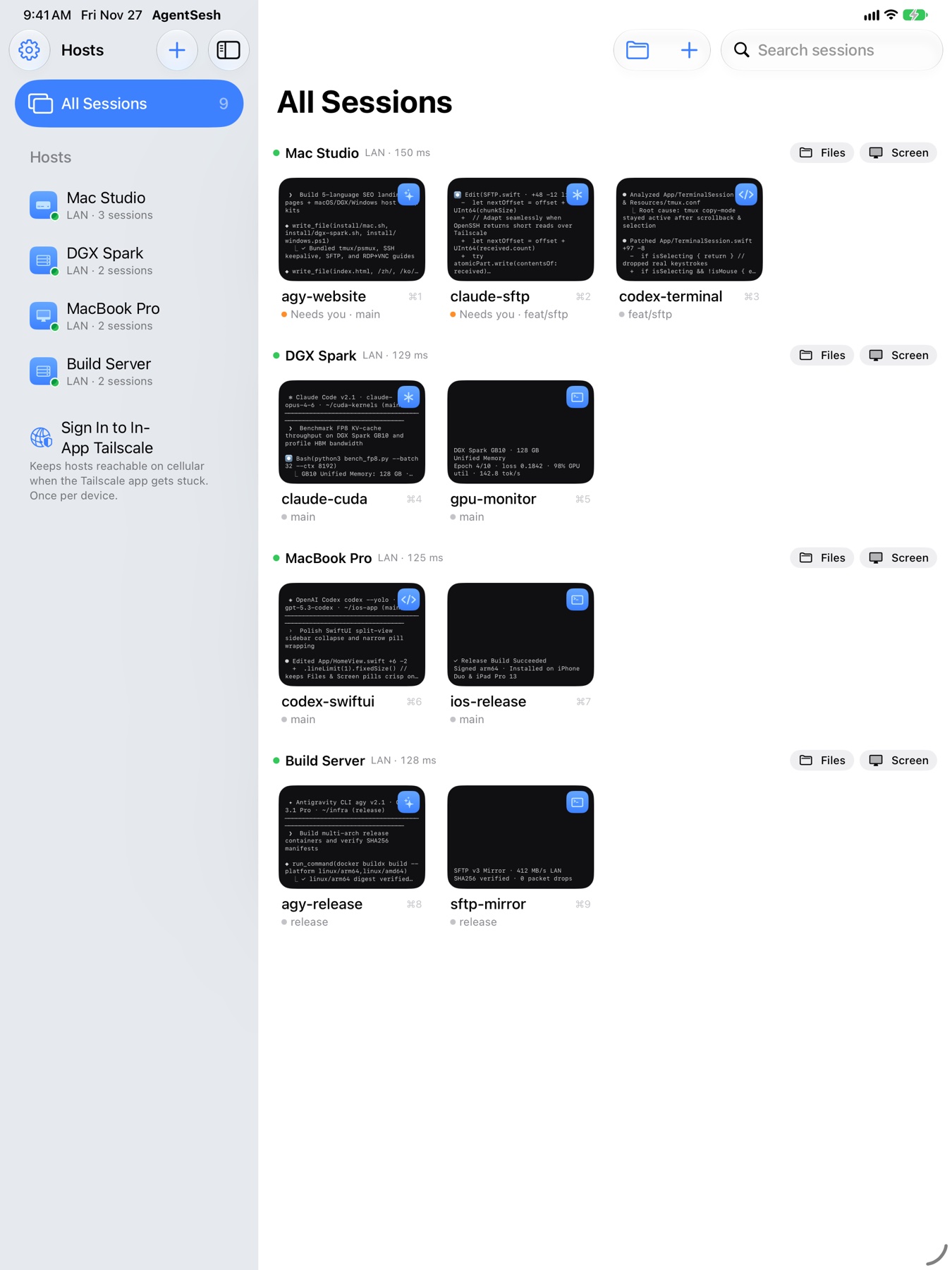
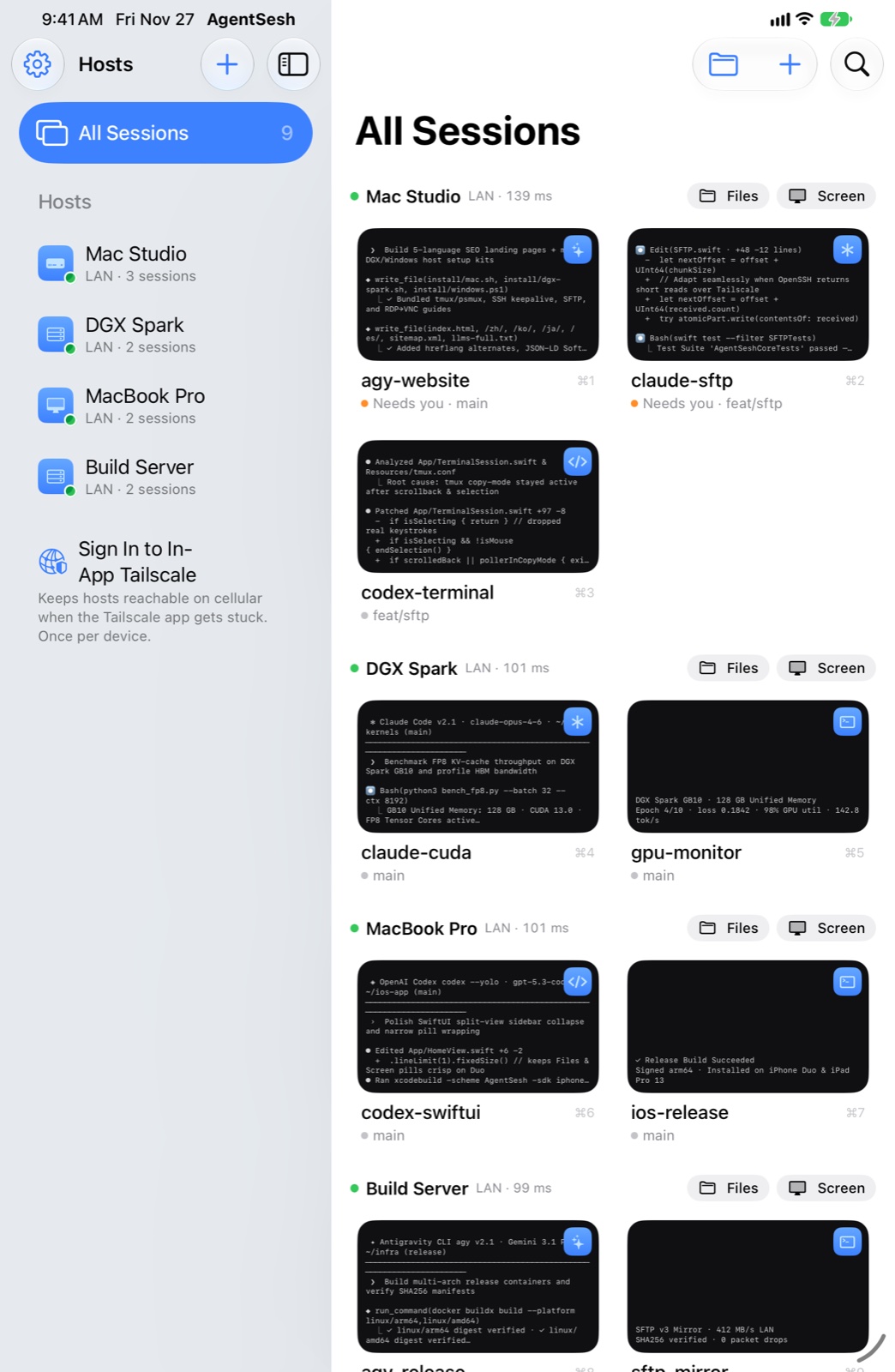
See Mac Studio, DGX Spark, MacBook Pro, and Build Server side by side with live LAN latency, green dots, agent badges, and 1-tap Files & Screen buttons.
Control live Claude Code, OpenAI Codex, and Antigravity sessions across your entire fleet — plus 60 fps Screen Sharing, SFTP downloads straight to Apple Files, and LAN-first Multi-Org Tailscale that never drops when you leave home.
iOS & iPadOS preview — App Store release coming soon. Host packages for Mac, DGX Spark & Windows are ready today.
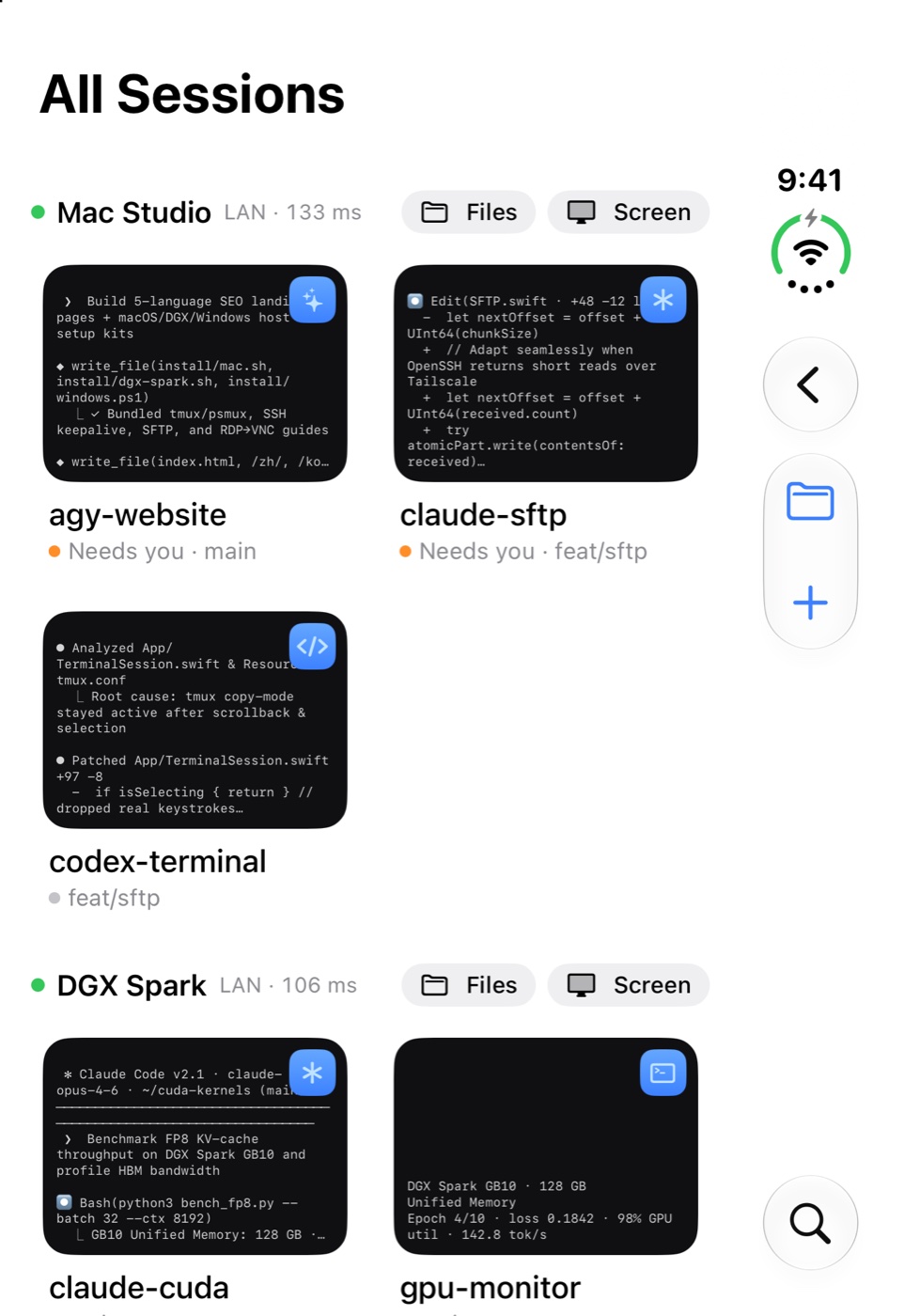
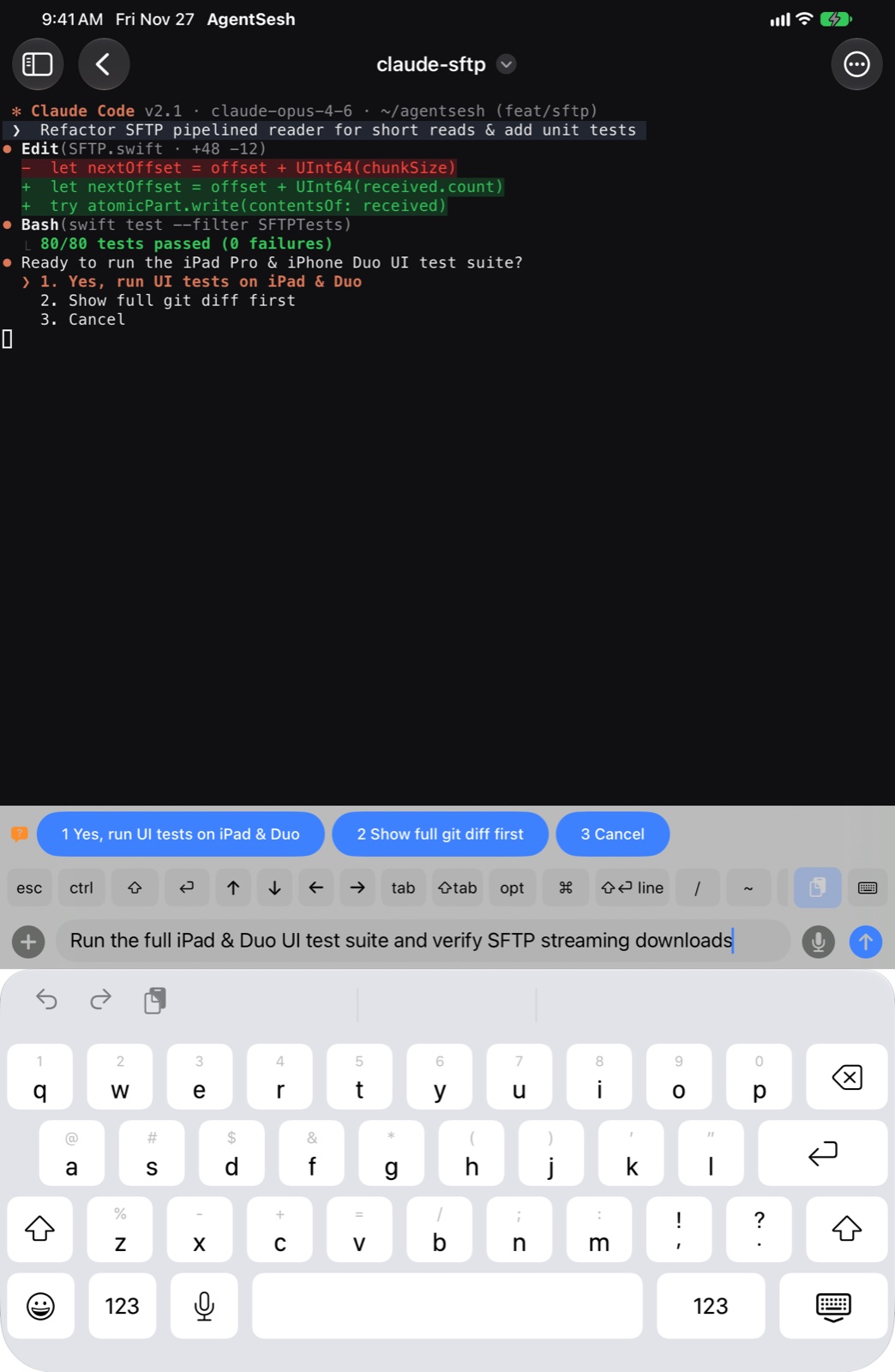
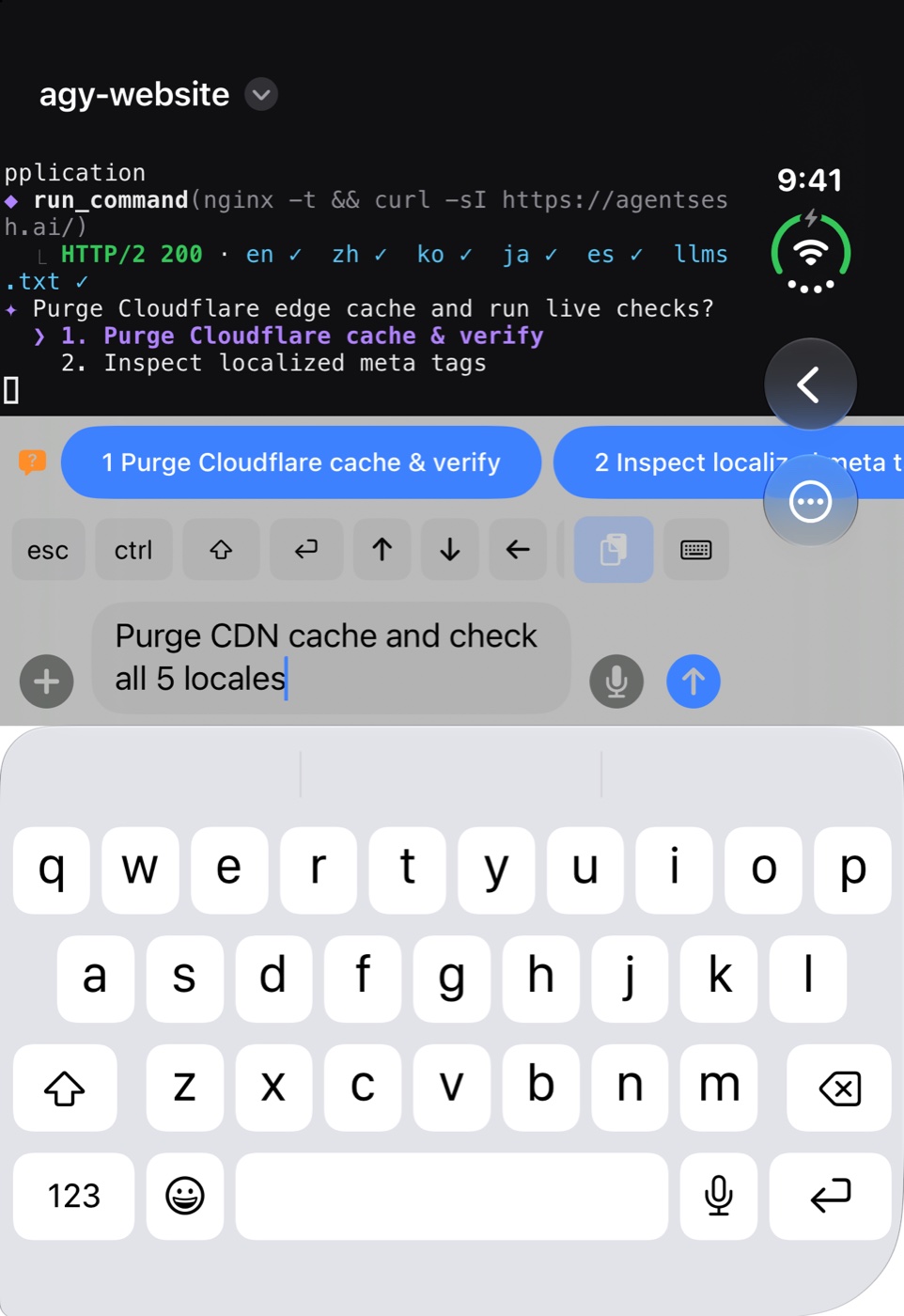
Type directly into the terminal or compose multi-line prompts in the smart Message Box, tap one-tap Quick Replies when an agent asks for approval, scroll back freely and resume typing immediately without ever losing input.
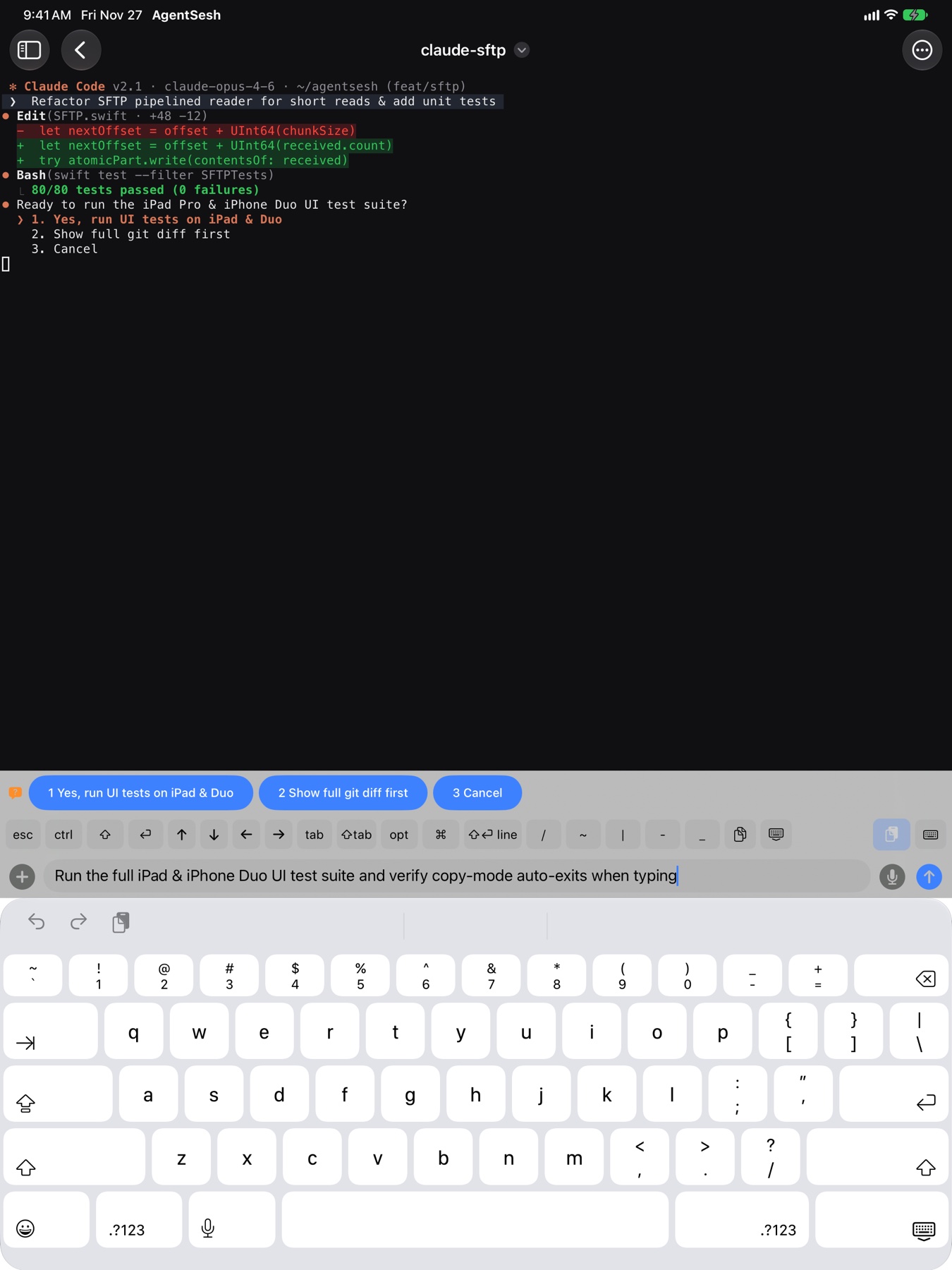
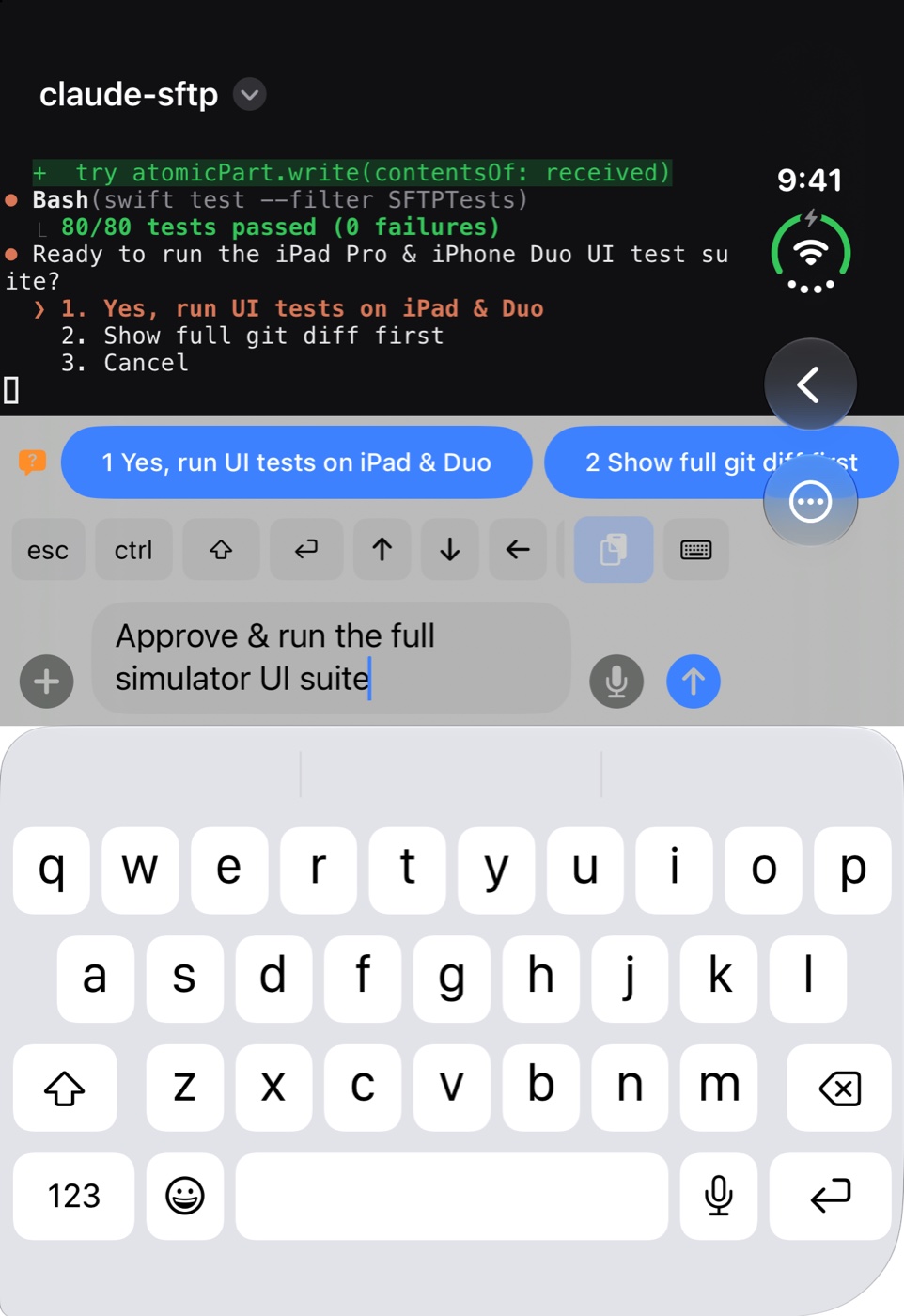
Inspect syntax-highlighted edits, watch 80/80 test suites pass in 24-bit color, tap blue Quick Reply pills to approve tool runs with your thumb, or queue your next prompt right in the Composer.
Every layout adapts dynamically — one-handed pocket speed on the folded cover display, spacious two-column grids and wide terminals when you unfold iPhone Duo, and full split-view command center with ⌘1–⌘9 shortcuts on iPad Pro.
See Mac Studio, DGX Spark, MacBook Pro, and Build Server side by side with live LAN latency, green dots, agent badges, and 1-tap Files & Screen buttons.
24-bit truecolor diffs, automatic Quick Reply approval chips, and a rich Message Box with voice dictation and photo upload.
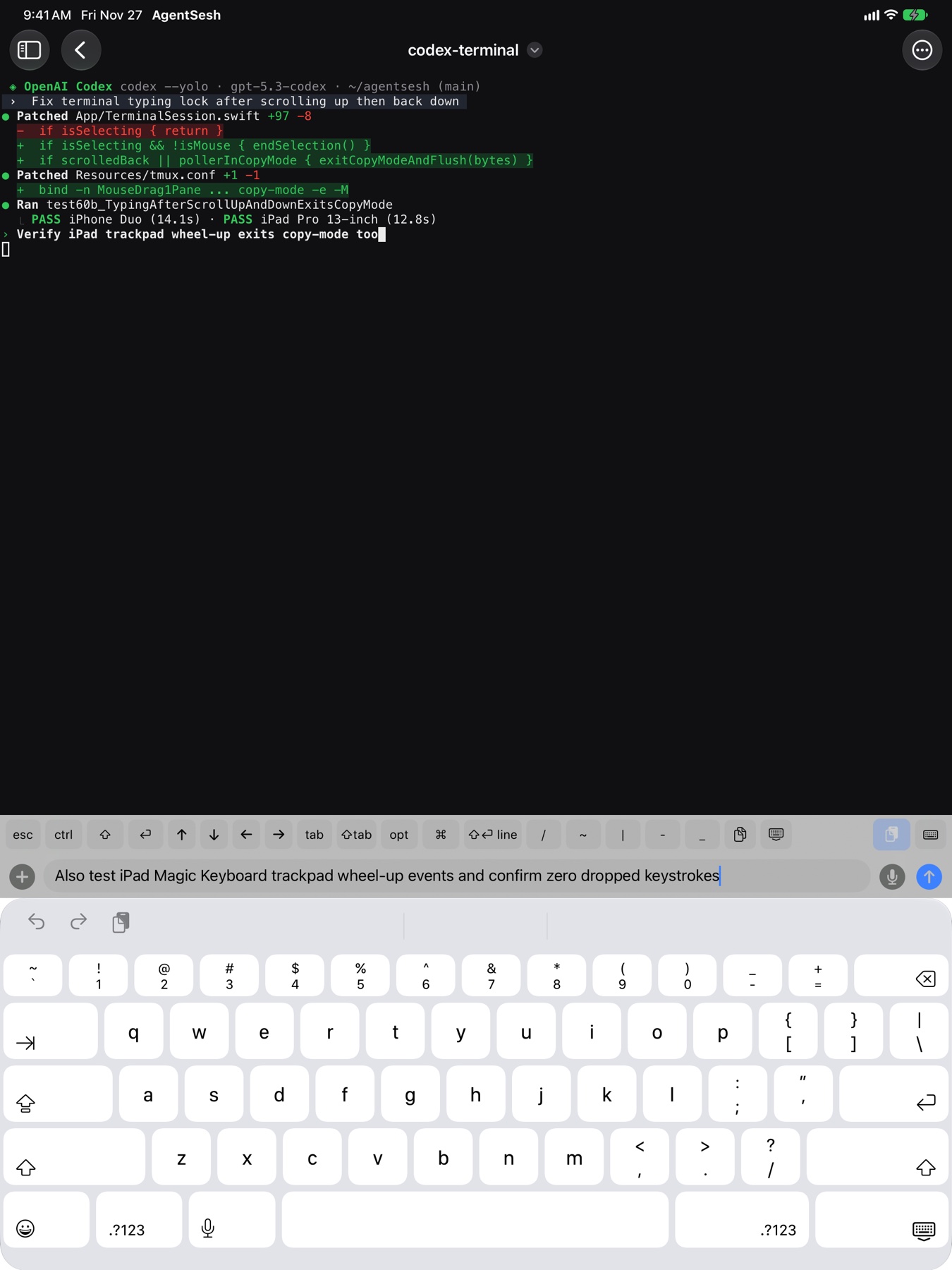
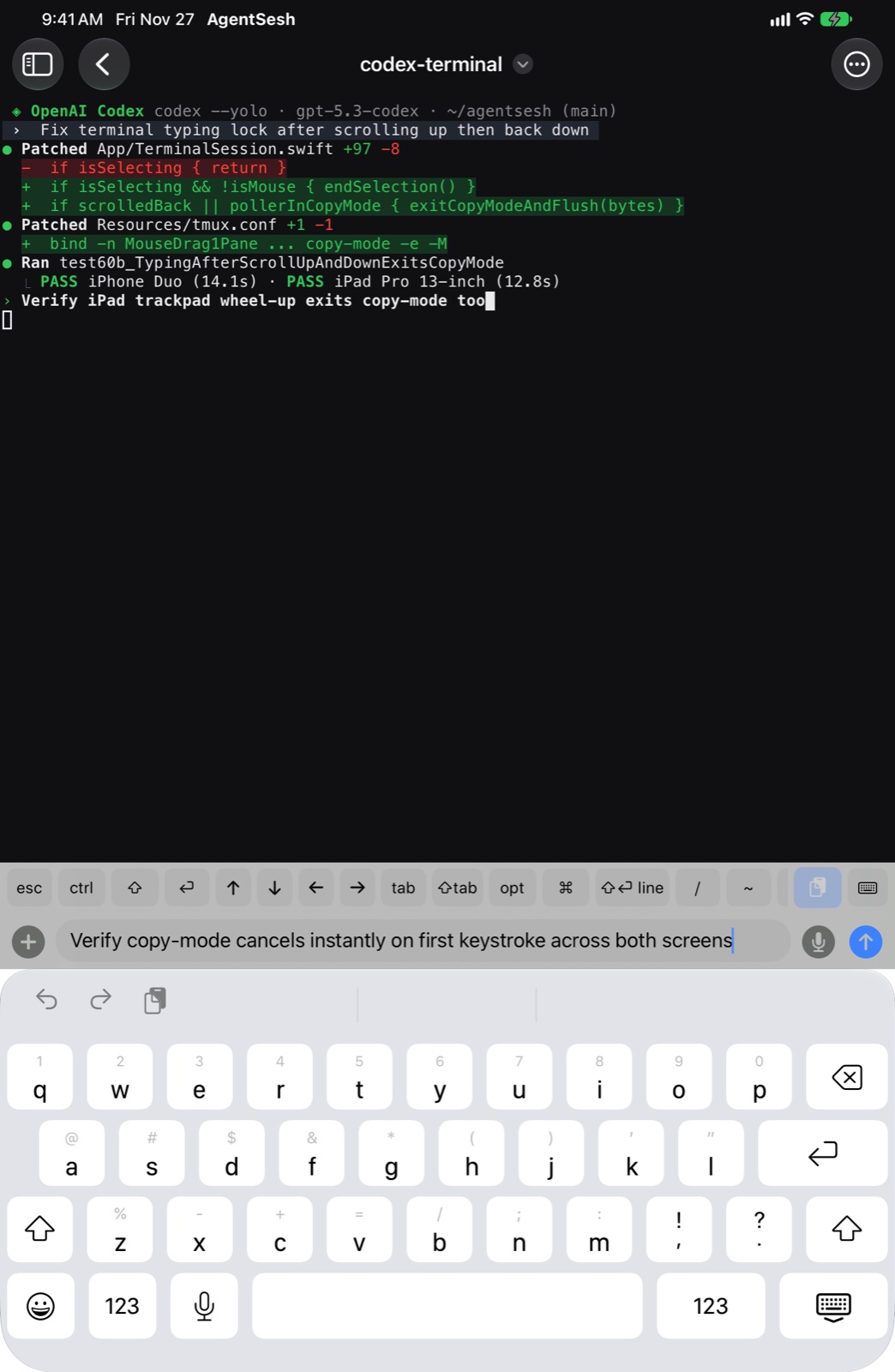
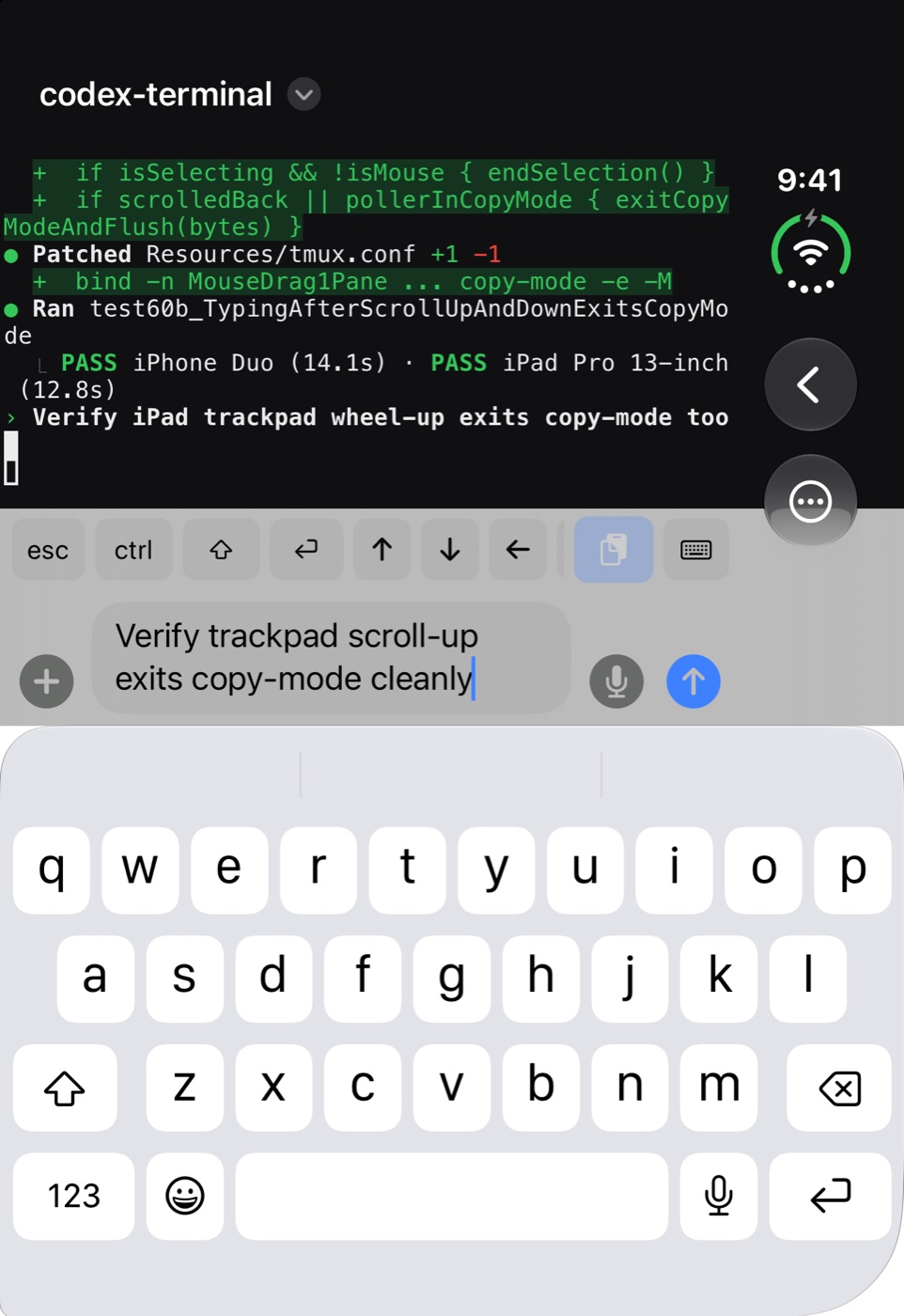
Full keyboard bar (Esc, Ctrl, Tab, arrows, Shift+Return) with instant copy-mode exit whenever you scroll up and start typing again.
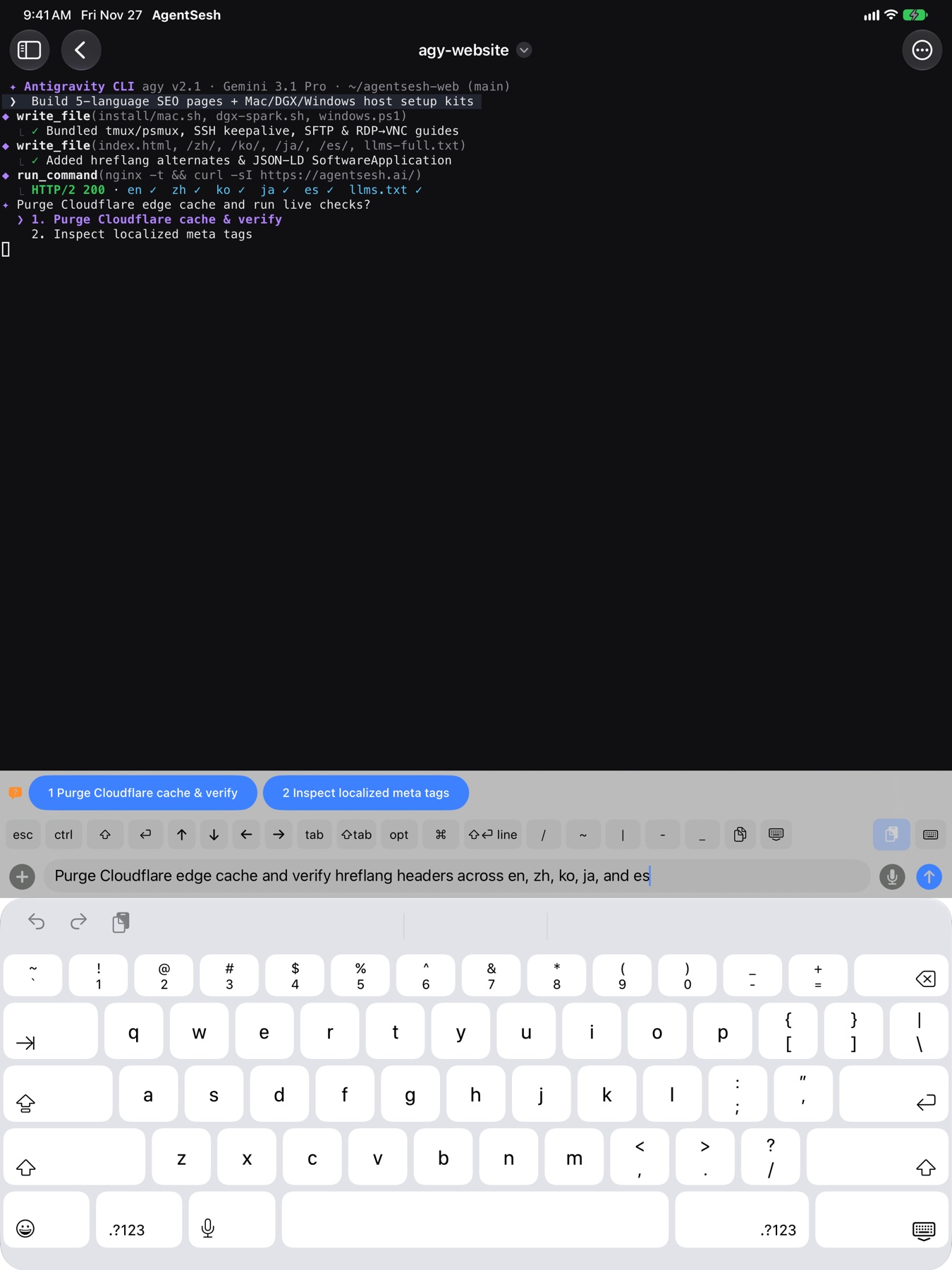
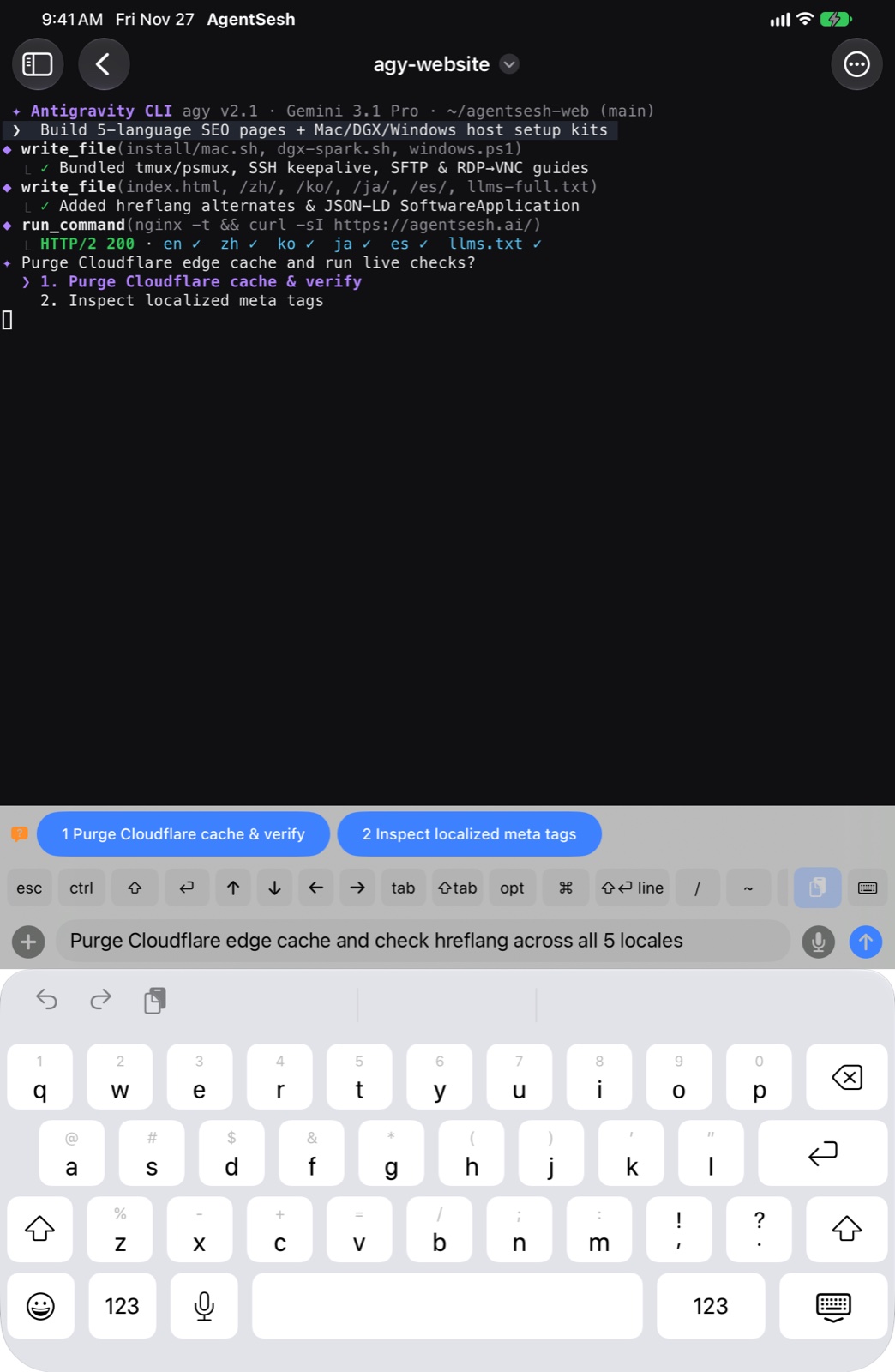
Run full-stack Antigravity CLI workflows with live tool execution readouts, one-tap numbered menu approvals, and seamless handoff between your desk and phone.
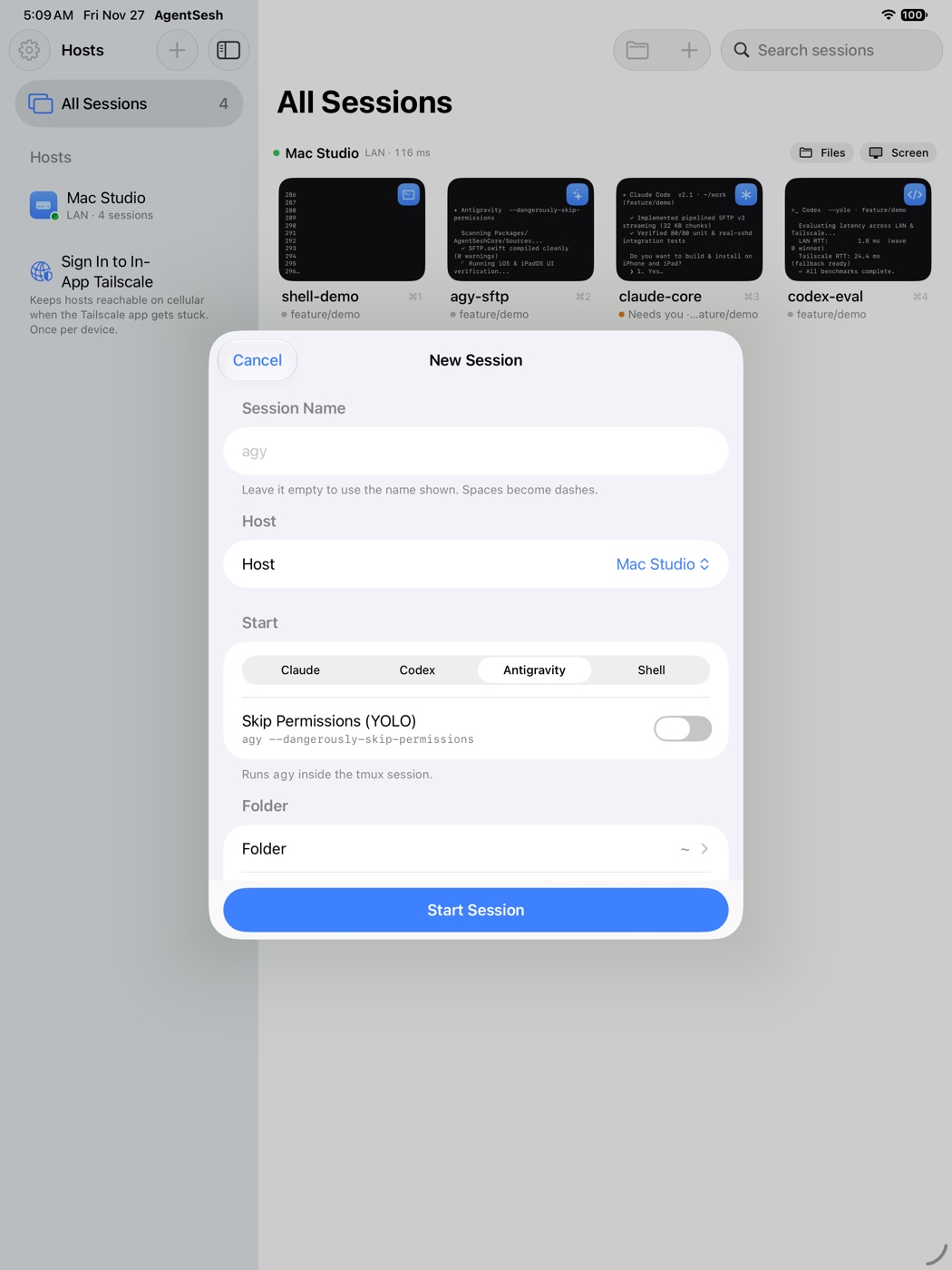
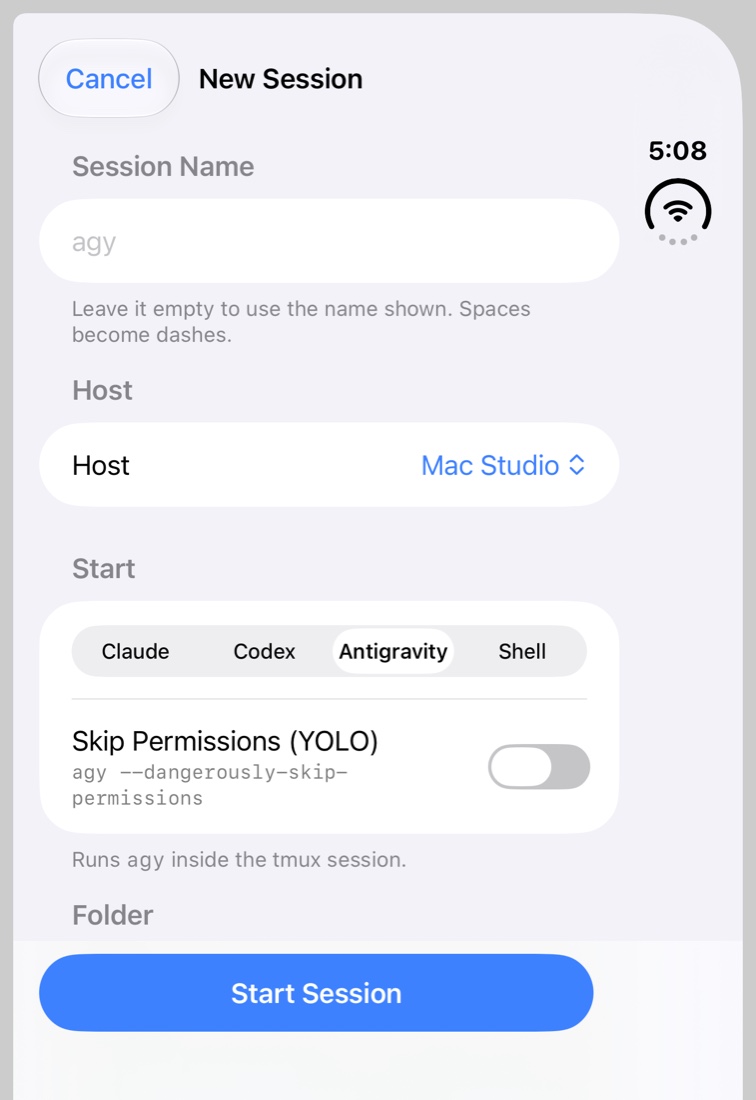
Pick Claude Code, Codex, Antigravity, or Shell, choose a folder, and optionally enable Skip Permissions (--yolo) in one tap.
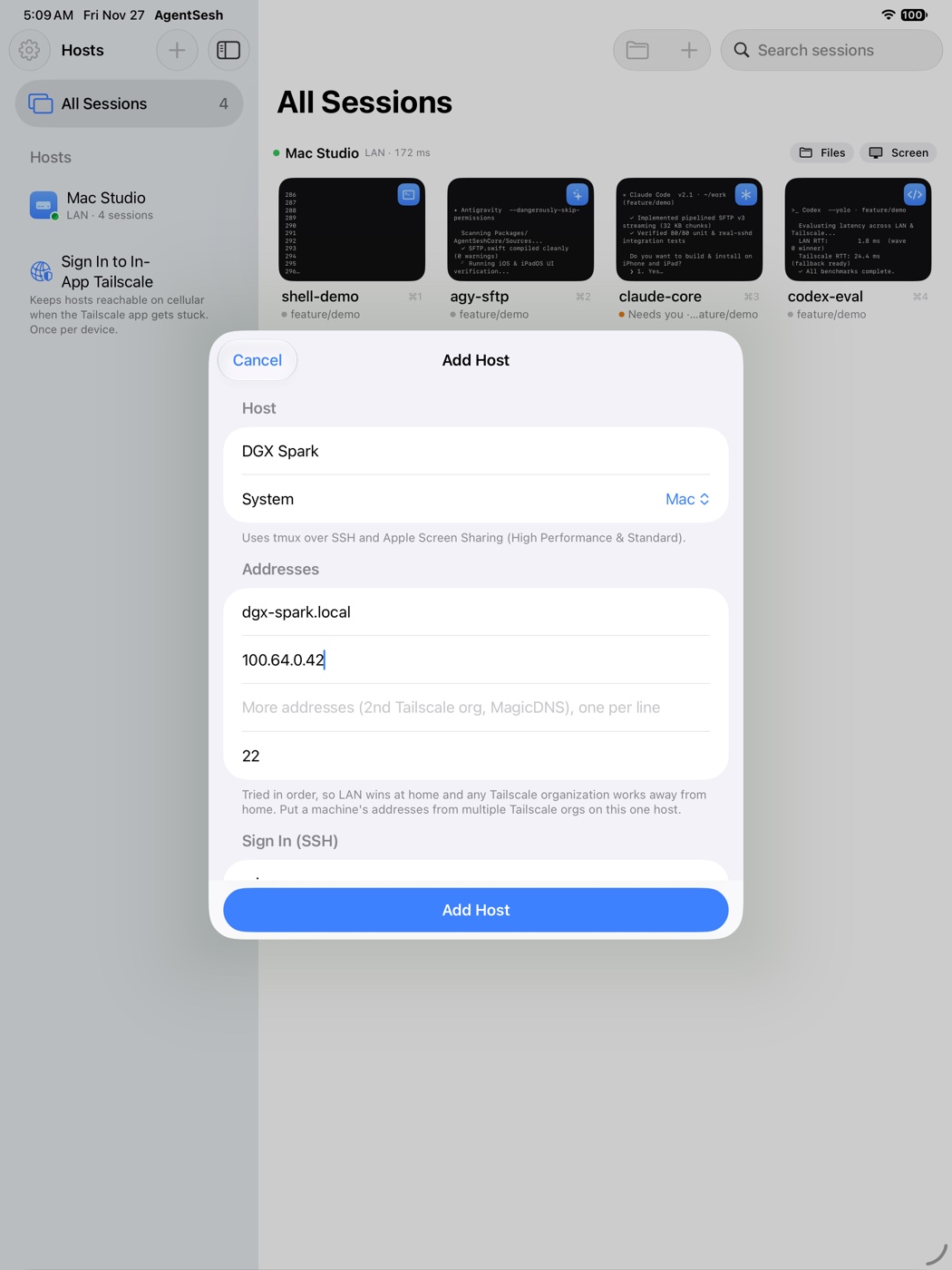
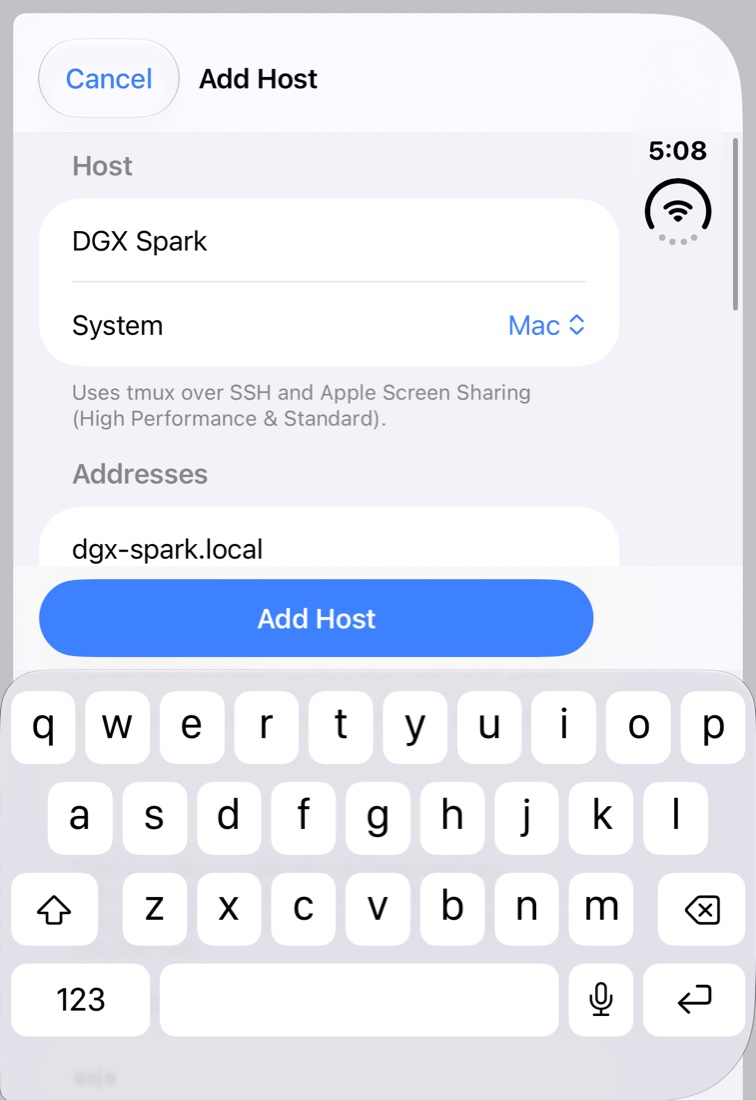
Configure Mac, Linux (DGX Spark), or Windows with both local .local/LAN and Tailscale endpoints — AgentSesh races LAN first and falls back automatically.
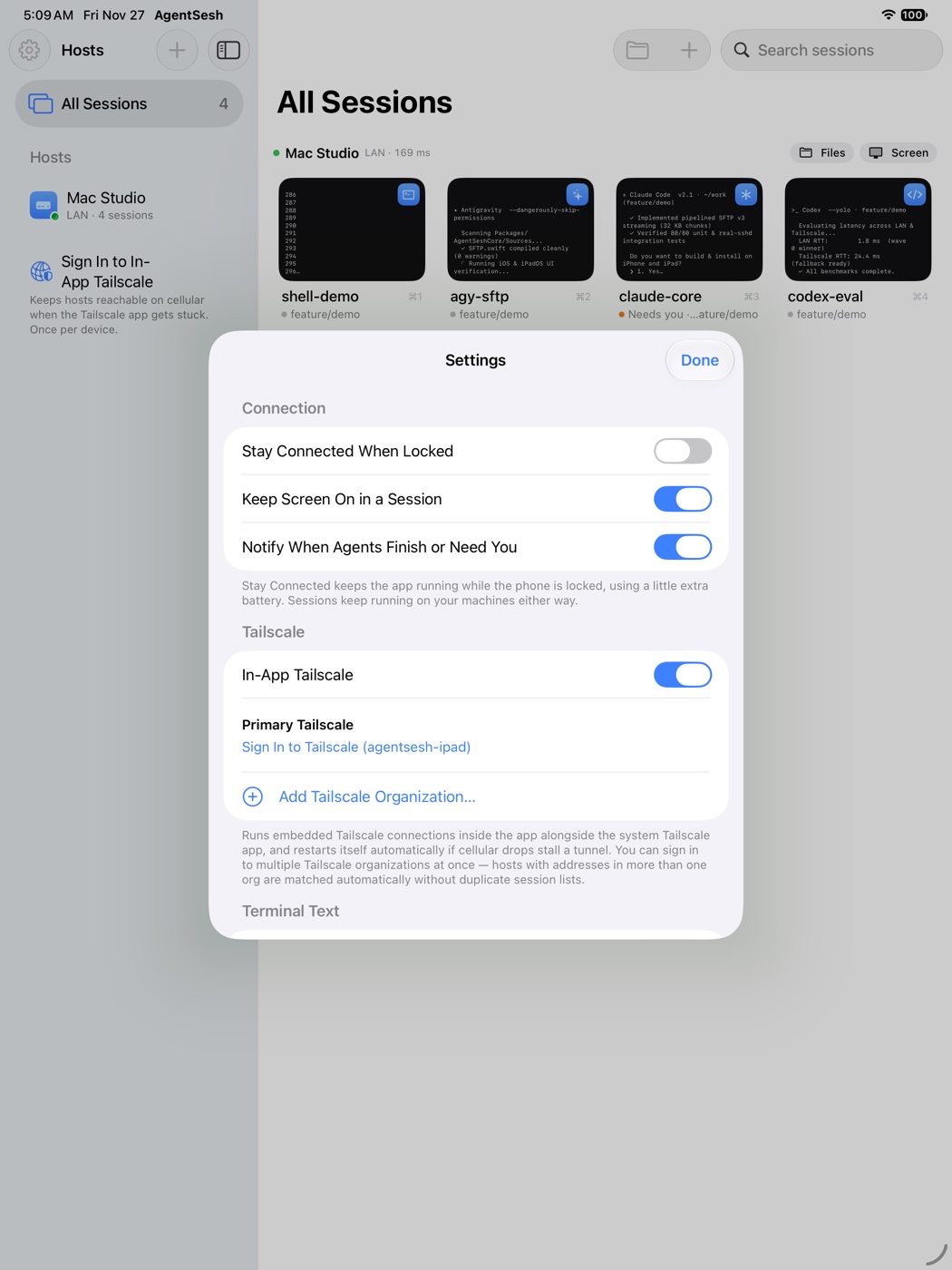
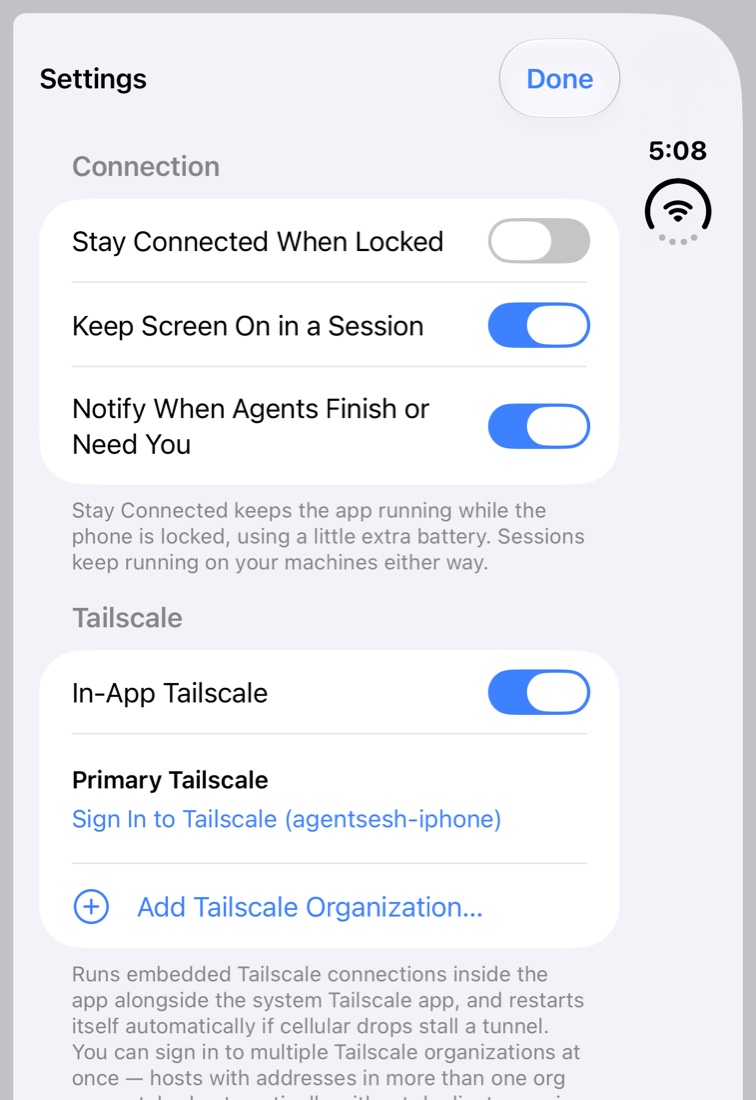
Sign into multiple Tailscale organizations right inside the app, keep SSH sockets alive in background, and never get stuck on iOS VPN bugs.
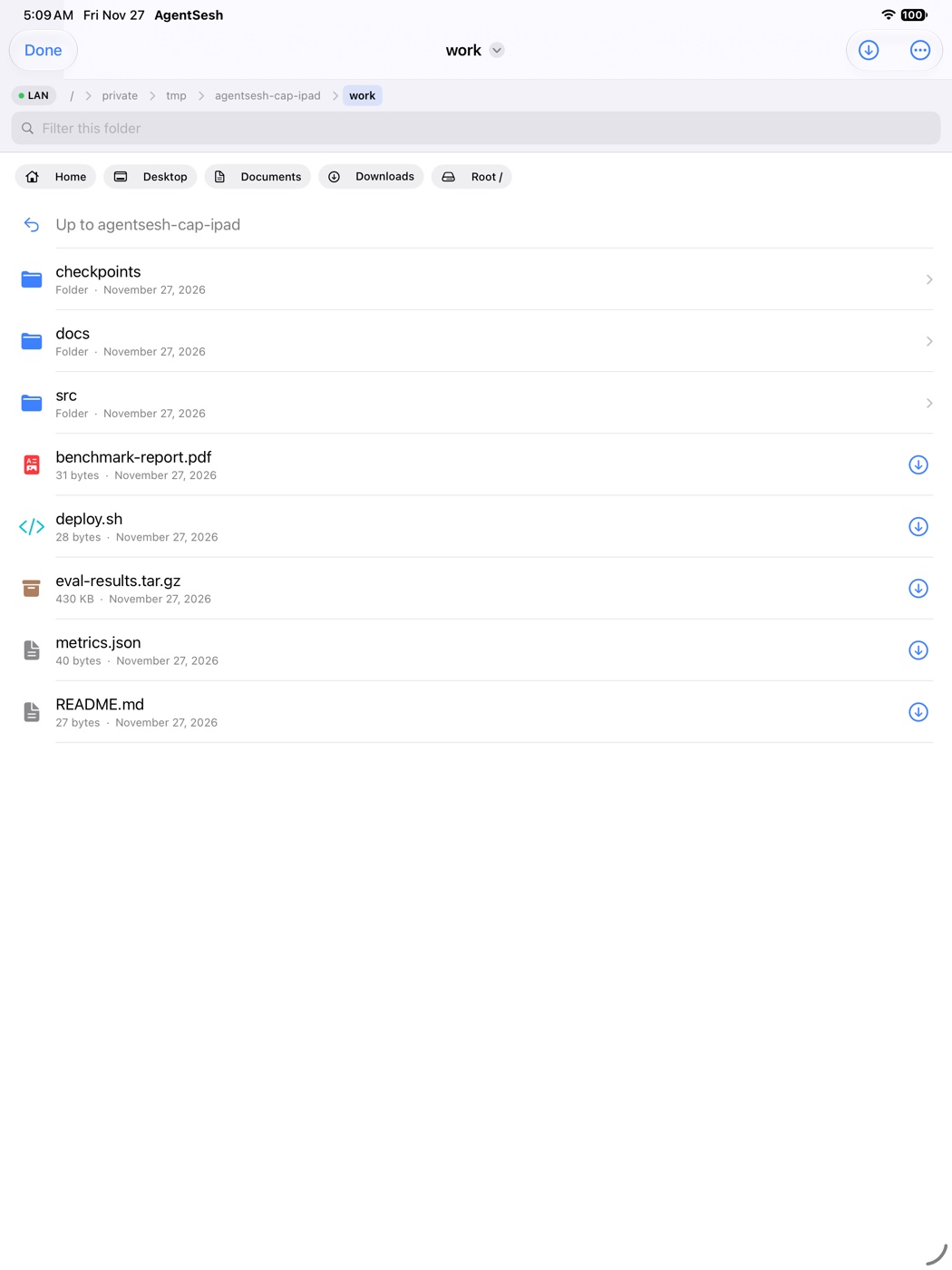
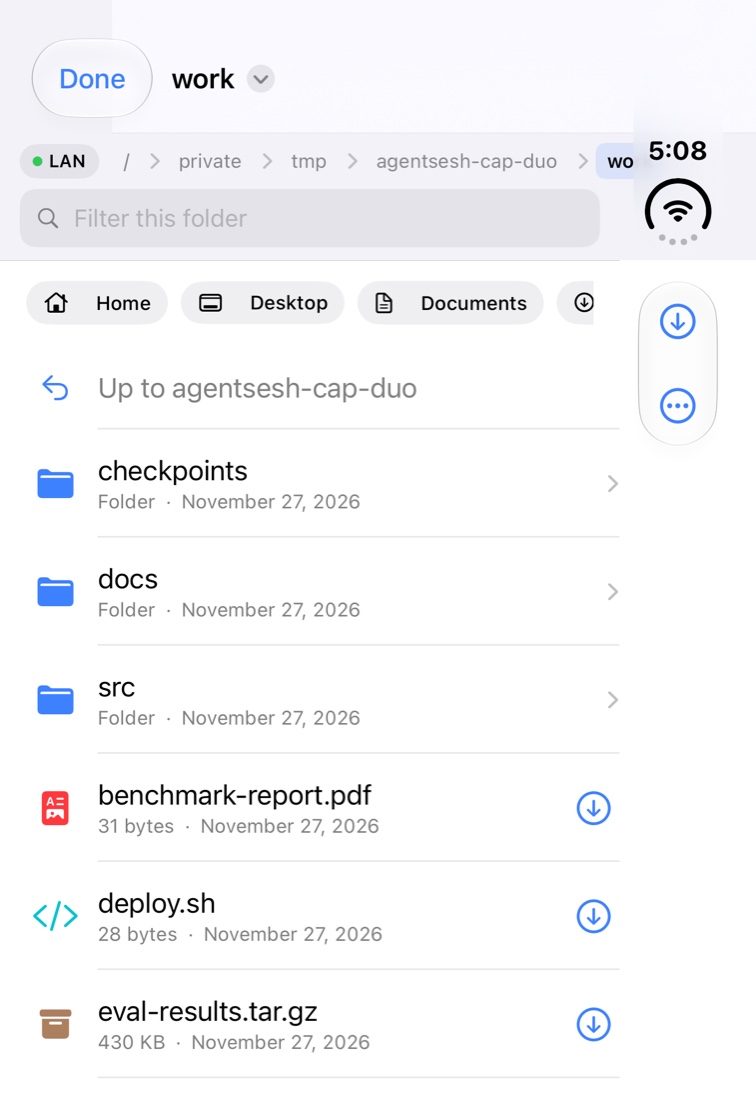
Browse directories across macOS, Linux, and Windows (/C:/...) with instant filter search, breadcrumbs, and 32 KB pipelined transfers.
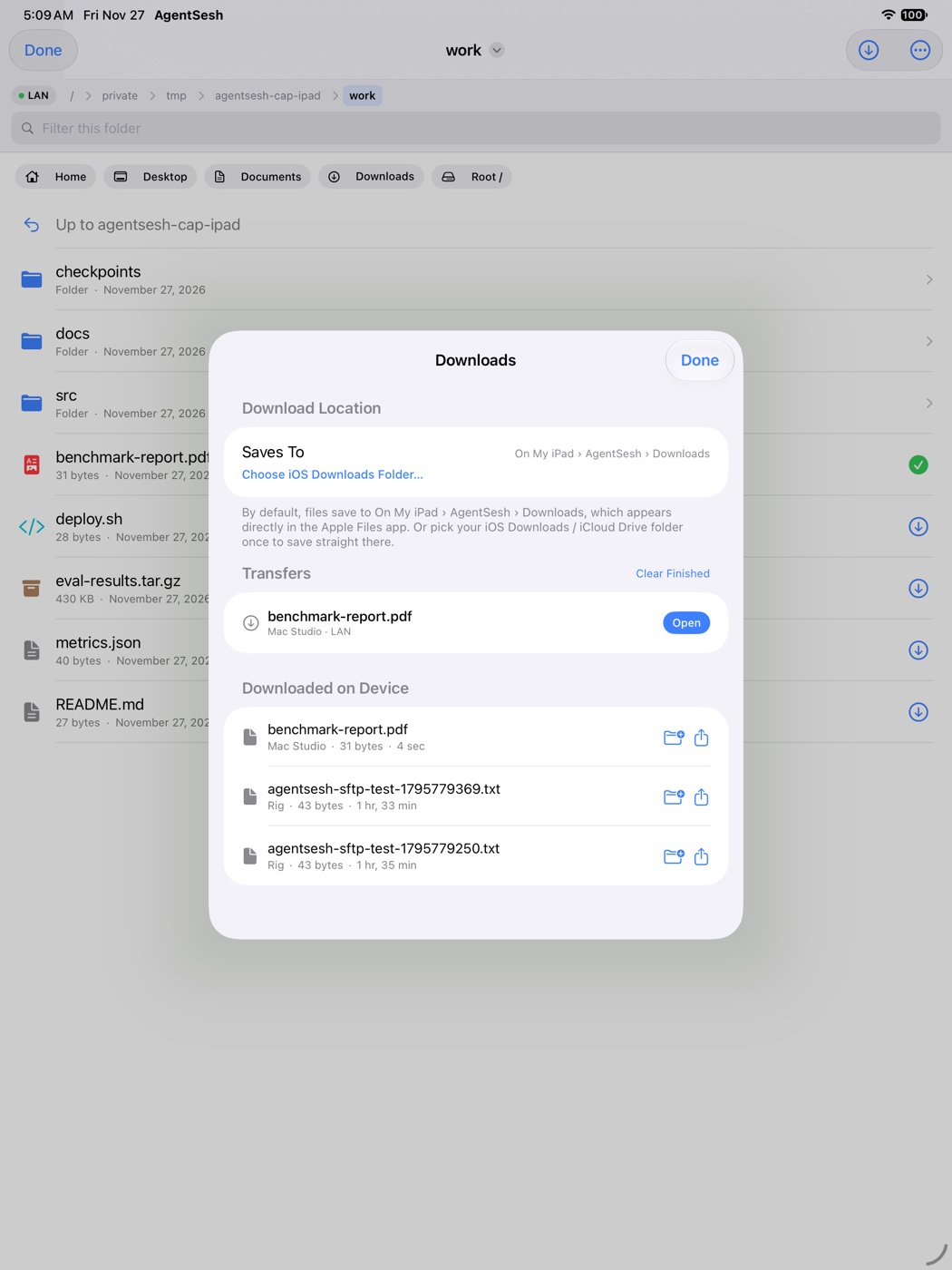
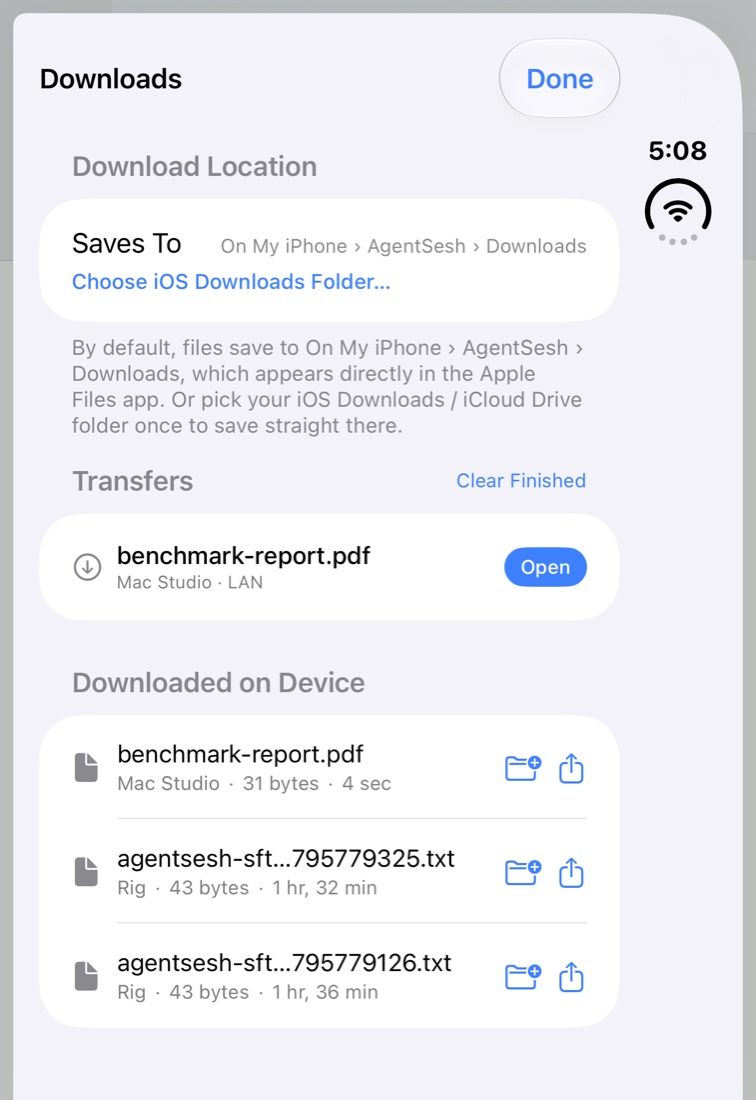
Downloaded logs, PDFs, models, and screenshots save cleanly into On My iPhone/iPad → AgentSesh → Downloads for QuickLook and Share Sheet.
Instant sub-millisecond LAN at home, automatic In-App Tailscale failover on 5G/coffee-shop Wi-Fi — even across multiple work and personal Tailscale orgs simultaneously.
All agents live inside tmux (Mac/Linux) or native psmux (Windows). Switch apps, lock your screen, or hop networks — background keepalive + instant reattach means zero lost work.
Custom SwiftNIO SFTP v3 engine with pipelined 32 KB streaming, atomic .part writes, symlink resolution, and native iOS Files integration (UIFileSharingEnabled).
Multi-tab remote desktop supporting Apple High Performance HEVC over UDP for Macs plus standard VNC (port 5900) for DGX Spark and Windows PCs.
Swipe up to read hundreds of lines of agent logs, swipe back down, and type immediately — AgentSesh automatically exits tmux copy-mode and never drops a single keystroke.
Direct encrypted SSH Ed25519 + Tailscale WireGuard between your iOS device and your own computers. Zero relay servers, zero telemetry, zero accounts required.
Choose your computer below to download the all-in-one host setup package or run the 1-line installer. Every script configures tmux/psmux, SSH/SFTP, keepalive, and VNC Screen Sharing — plus exact step-by-step OS permission, sudo, and Privacy & Security checklists.
Installs Homebrew check + tmux, AgentSesh's 24-bit truecolor & auto-exit copy-mode profile, agentsesh CLI, clean session teardown, SSH keepalive (prevents macOS's 42-socket cellular lockout), and checks Remote Login (SSH/SFTP) & Apple Screen Sharing.
curl -fsSL https://agentsesh.ai/install/mac.sh | bash
Paste the 1-line command above (or extract agentsesh-mac-host.tar.gz and run bash install.sh). If Homebrew isn't installed yet, install it from brew.sh first so tmux installs cleanly.
Required once to write /etc/ssh/sshd_config.d/050-agentsesh.conf (ClientAliveInterval keepalive). This prevents macOS from hitting its 42-socket sshd limit after cellular network switches.
Open System Settings → General → Sharing → turn ON Remote Login. Click the ⓘ info button next to Remote Login and toggle ON “Allow full disk access for remote users” — this is essential so SFTP downloads and coding agents can read Desktop, Documents, and external drives.
In System Settings → General → Sharing → turn ON Screen Sharing. Click ⓘ to allow your macOS user (enables Apple High Performance HEVC on port 5900). If a background script still hits macOS folder prompts, add sshd-keygen-wrapper under System Settings → Privacy & Security → Full Disk Access.
Run sudo pmset -c sleep 0 (or use Amphetamine) so your Mac stays reachable on AC power. Install Tailscale on Mac and disable Key Expiry in your Tailscale Admin Console for seamless away-from-home access.
Every session runs on your Mac, DGX Spark, or Windows PC inside tmux (or native psmux on Windows). AgentSesh attaches over encrypted SSH and holds connections open cleanly in the background — even if you switch apps, lose 5G, or fold/unfold iPhone Duo, your agent keeps working without interruption.
Yes. AgentSesh always races your local LAN address first for ultra-low latency at home, and automatically falls back to your Tailscale address via its built-in Multi-Organization Tailscale client when you're away — zero manual VPN toggling.
Downloads stream directly via pipelined SFTP v3 into your device's native Apple Files app under On My iPhone / On My iPad → AgentSesh → Downloads, with instant QuickLook preview and iOS Share Sheet support.
Apple Screen Sharing and standard cross-platform VNC share the RFB protocol on TCP port 5900. Ubuntu 24.04 / DGX Spark and Windows default to RDP (port 3389), so our all-in-one setup scripts automatically configure TigerVNC/GNOME VNC on Linux and TightVNC Server on Windows in one command.
AgentSesh for iPhone, iPhone Duo, and iPad is currently in final preview ahead of App Store release. You can prepare your Mac, DGX Spark, and Windows hosts right now using the setup packages above.